
Events
There has always been a steady stream of events, both virtual and, increasingly, live, coming from AWS. Here are a few coming your way that we hope you’ll join us for.
Ransomware Town Hall: Protecting your institution’s data, systems, and reputation from loss
Our partners at AWS are putting together a presentation for the NET+ AWS community on how you can harden your accounts and Orgs against ransomware.
Ransomware attacks can be significantly disruptive and costly to the college or university beyond the data compromised or stolen, the time lost recovering from an incident and money spent on recovery or for ransom payouts. These incidents can also erode the confidence and trust that students and families, faculty, staff, researchers, and partners have in the organization For these reasons it is important to keep an eye on the threats ransomware poses and to be prepared for all eventualities. In this session you will learn about current trends in ransomware, strategies to prevent and detect intrusions and approaches to mitigate the damage and recover from the attack.

 Presented by Larry Kiger, WWPS Solution Architect, AWS. Larry is on a mission to educate and help information technologists and executives grow their understanding of IT Security and Compliance in the Cloud. He joined Amazon Web Services (AWS) in 2019 and now serves as the Americas’ Lead for Security & Compliance in the Worldwide Public Sector team.
This is an interactive session, so bring your questions and invite your friends from the security office. Monday, September 20 12:00-1:30pm EDT. Register here.
IMAGINE: Education & AWS Public Sector Summit
 Later this month at the Washington, DC Convention Center Amazon is hosting two free in-person conferences.
- IMAGINE: Education - September 27
- AWS Public Sector Summit - September 28-29
If you are planning on being there, please reach out to your NET+ AWS team so we can say hello.
- Bob Flynn bflynn@internet2.edu
- Tara Gyenis tgyenis@internet2.edu
- Sean O’Brien sobrien@internet2.edu
AWS Educate/Academy Town Hall: Introducing AWS Education to Workforce
 AWS Educate, AWS Academy, and other AWS education programs are now within one organization – AWS Education to Workforce, The AWS Education to Workforce team offers new program and consultative services to help customers enable and implement a comprehensive AWS cloud skills workforce education solution. Aaron Osmond, US Lead for the AWS Education to Workforce Team will be presenting this session.
Bio: Aaron Osmond joined AWS in March of 2020. Aaron brings 25+ years of professional experience in building statewide workforce development programs within public and higher education at Novell, Microsoft, Pearson, and now AWS. Aaron leads a team of business development and program implementation experts to help state and local education and workforce leaders implement AWS cloud skills workforce readiness programs.
This is an interactive session, so bring your questions and invite your faculty and colleagues from Learning Technologies. Monday, October 25, 2-3pm EDT, Register here. 
Raising your team’s Cloud IQ

Training Survey
 Internet2’s Oren Sreebny is looking to build on his success with a GCP community training cohort. We are working with AWS to get the first on that platform off the ground. More broadly, we are looking to assess the landscape of cloud training/literacy need in the community. Take the survey. Share the survey. Be the survey. Together we will raise higher ed’s Cloud IQ! Deadline for submission - Friday, September 17
AWS Training Pilot
 One thing we keep hearing is that one of the major obstacles to increased cloud utilization in higher ed is the lack of staff trained in cloud technology and that increased access to training would help adoption. We are looking for up to 15 people interested in participating in a pilot later this fall of a multi-campus cohort training for the AWS Solutions Architect - Associate certification.
The training will consist of asynchronous learning content (videos and hands-on labs) paired with weekly cohort meetings and occasional extra sessions with technical experts. Participants should expect to commit 5-7 hours per week over the course of the training, which will last approximately three months. The cost to participate will be in the range of $500 per participant, not including the cost of the certification exam (~$150 as of this writing).
People interested in participating can fill out this form and we will be back in touch with you as our plans firm up: https://forms.gle/sgFcj1dY8pLeHk3WA. Please respond by Friday, September 24.
Get Involved
Community, whether personal or professional, serves you best when you get involved. A professional community like the NET+ AWS community can be quite rewarding. The bi-weekly AWS Technology & Tactics calls not only produce great technical discussions among peers and partners, but they have proven to be a great place to meet the wonderful people who work in higher ed cloud. 
Coming out of your annual performance review do your goals include contributing to the community? Getting out of your comfort zone? Taking on more leadership roles? Building the soft skills? The hard skills? You are in luck, I’ve got a couple of ready-made opportunities for you.
NET+ AWS Service Advisory Board (SAB)
The NET+ AWS SAB meets monthly to monitor and guide the health of the program. The members meet regularly with AWS and DLT leadership to champion the priorities of the NET+ AWS community and higher ed cloud in general. We are down a few members and welcome fresh faces and new energy. If you are interested, please contact me at bflynn@internet2.edu.
Working Groups
A tangible example of the SAB’s work are the two working groups they created to address issues raised by subscriber schools. Here are very high-level descriptions of the groups.
- Support - Charged with gathering a comprehensive picture of schools’ AWS support needs and working with DLT to ensure it has clear documentation and process for meeting all those needs for all levels of users.
- Enterprise - Charged with articulating a snapshot of how higher ed is using and wants to use (and manage) AWS and working with DLT to identify a path to meet that spectrum of needs.
Both groups are about to start their work. The Enterprise Working Group is looking for a few more members. Support has enough to get going, but if that is your jam, I’m sure they’ll let you join the band. If you are ready to roll up your sleeves and improve the program, drop me a line at bflynn@internet2.edu.
Credits
The images in this newsletter come from a variety of sources. Credit where credit is due.
- Upcoming by bohlam
- Ransomware by royyimzy25414
- Calendar icons by the Calendariconsgenerator
- Conference room by marcolivolsi04
- Teamwork
- Training
- Online training by creativetooons
Requests?
Do you have ideas or requests for a future newsletter? Email bflynn@internet2.edu
The NET+ Code42 Service Advisory Board wants to engage more, share best practices, and help solve challenges with our peers. We’re excited to announce the NET+ Code42 monthly community call series for 2021 into 2022 will be starting on November 4th at 2 p.m. ET / 11 a.m. PT. We’ll use this time for a quarterly call on the first Thursdays of each month at 3 p.m. ET / 12 p.m. PT on 11/4/2021, 2/3/2022, 5/5/2022, and 8/4/2022 at 2pm ET / 1pm CT. Register for the calls here.
We’re going to focus on questions you would like to ask your peers about issues you’re working on for your campus, as well as having an open discussion. We’ll have an agenda with updates from NET+ Code42, Code42, questions and topics submitted by you and other NET+ Code42 participants. We’ll occasionally have short presentations from campuses or Code42 to get the discussion started.
The agenda for the first call on November 4th will be:
- Introduction to the call, announcements, reminder the call is being recorded, etc
- Updates from NET+ Code42 program (5 min)
- Updates from Code42 (5 min)
- Short presentation on privacy aspects of using Code42 Crashplan and Incydr
- Q/A on presentation
- Open Q/A
Let me know if you would like to share anything interesting you’ve done or are planning for your campus Code42 implementation. You will still use a registration page to help with calendar invites, etc.
Please feel free to share this with other interested people on your campus or in the community!
Registration for the community calls along with the call-in details can be found at:
https://internet2.zoom.us/meeting/register/tJAsceGvqTMuGtLdEkamZGJjNUrLU99YKPI9
These community calls are supported by the NET+ Code42 service advisory board and campuses signing up for the NET+ Code42 program.
If you have any questions about the call series, please contact Nick Lewis (nlewis@internet2.edu) or the NET+ Code42 Service Advisory Board at Code42-advisory@internet2.edu.
Recordings of the community calls and subsequent calls will be posted for the NET+ Code42 community at:
https://spaces.at.internet2.edu/x/fYY5CQ
More details on the NET+ Code42 program can be found at:
https://internet2.edu/services/code-42/
The registration page will be used to register you for the virtual event and to provide you with Internet2 updates. Learn more about managing your communications preferences and learn about Internet2’s privacy policy at https://internet2.edu/community/about-us/media-resources/internet2-communications-management/
Zoom implemented a number of enhancements to Zoom webinar licenses on July 25, 2021.
The updates include:
- End of sales for new Webinar100 licenses. No new orders are being accepted.
- All existing Webinar100 licenses have been upgraded to a Webinar500 capacity, at no additional charge. This promotion will last until your next contract renewal date. Please work with your Zoom account manager to remove any extra Webinar500 licenses before your contract renewal date to avoid being charged.
- All existing Webinar500 licenses have also been upgraded to Webinar1000 capacity, at no additional charge. This promotion will last until your next contract renewal date. You will need to work with your Zoom account manager to remove any extra Webinar1000 licenses before your contract renewal date to avoid being charged.
- Please note that Customers with a Webinar 100 or 500 license as part of an Enterprise Bundle, customers with FedRAMP (ZFG) webinar licenses or bundles that include webinar, and any customers with free trial webinar licenses are excluded.
Lower Pricing for Webinar500 for NET+ Zoom Subscribers
- Internet2 members - $621/year
- Non-Internet2 members - $690/year
NET+ and Zoom are currently working together to update the NET+ Zoom Program pricing table. If you have any questions about the new pricing or changes, please contact netplus@internet2.edu.
Frequently Asked Questions
- Will I be charged for new Webinar500 licenses?
- Yes, for any new Webinar500 licenses orders will be charge at the new price.
- Is there a new price for Webinar1000 licenses?
- No, there are no pricing changes for Webinar1000.
- If I signed a 3 year contract, when will my promotional licenses expire?
- The promotional licenses will expire at your contract renewal date. To avoid any unexpected charges, please work with your Zoom Account Manager to confirm the correct webinar license counts.
- Is there a lower tier for webinars if I don’t need a 500 capacity webinar?
- No, Webinar500 is currently the entry level tier for Zoom webinars.
NET+ Canvas: As you may be aware, Instructure has had three big announcements over the past month. One is the acquisition of Eesysoft, now rebranded to Impact, Another is the introduction of the Panda Pros effort, and the other is the announcement of their IPO. Links to more information on each are below. Please keep in mind, Internet2 (along with the NET+ Canvas Service Advisory Board) are continuing to work with Instructure in making sure the needs of the NET+ Canvas subscriber community continue to be met while the landscape here changes.
NET+ GCP: Check out our NET+ GCP summer newsletter (in the Key Program Updates section of our service page) for updates on community activities and opportunities to get involved such as “Help Us Get Creative with Teaching”.
We are working with the team supporting faculty for teaching and learning. Think curriculum, compute credits for class, Qwiklabs credits, etc.. We are looking to brainstorm with some faculty who teach using GCP (or would like to) and cloud teams who want to develop programs to make it easier for faculty to do so. If you or someone you know would be interested in giving us feedback, possibly piloting some things on your campus, please email me at bflynn@internet2.edu.
NET+ GCP Cloud Architect Training Pilot:
The pilot for the NET+ GCP Cloud Architect Training has successfully wrapped up! Congratulations and thanks to all of the participants! Thirteen people signed up for the pilot cohort, and eleven people participated actively throughout the entire time. When surveyed, all of the participants thought the training was very valuable, and they recommended it for others at their institution and for other institutions getting started on GCP. All of the active participants indicated that they intend to take the Professional Cloud Architect certification exam. Internet2 thanks Google and Pluralsight, our partners in this pilot. We will be reaching out to members to find out more about the needs for cloud training on campuses. If you’re interested in participating in this conversation, please email me at osreebny@internet2.edu
NET+ Clearspan Connected: Internet2 hosted a community town hall for participants to learn about the new Clearspan and emerging issues in unified communications.
The NET+ Code42 program had a major program update where all higher education campuses can now sign-up to get the benefits of the program and we have updated the pricing model to add in an enterprise license agreement option to protect all their knowledge workers at a significant discount with more details at the accompanying blog.
The NET+ Duo program had a webinar in May based on community requests to go over device security and managing policy in Duo with the recording posted here. We’re working on a special NET+ Duo campus only webinar on the Duo Universal Prompt and Duo Mobile Application Update where campuses will get a status update and being able to ask questions of the Duo Product Managers managing these rollouts. Please contact Nick Lewis for more details.
The NET+ LastPass program has a great new feature being released in July called Families as a Benefit. With Families as a Benefit, campus employees will receive a personal LastPass account, plus five additional licenses to share with family or friends, so they can have a safe place to store and manage their credentials.
The NET+ Palo Alto Networks program has signed up the first campus! We’ve also had 2 community calls to go over the details of how the program was setup and answer community questions. The recording from the first call was recently posted and the recording from the 2nd call is in the process of being posted. Details on the next call where we’ll have a campus speaker share their experience with XDR can be found here.
The NET+ Splunk service advisory board has focused the program on community engagement where we’ve been hosting monthly NET+ Splunk calls to talk about COVID19 one year in, Oracle database logging, managing data sources volume, logging in secure data enclaves, and more based on community interest. More details on these calls can be found here.
Internet2 hosted a community town hall on June 30th, 2021, for participants to learn about the new Clearspan and emerging issues in unified communications.
The joint Internet2/Clearspan Townhall provided information about the Clearspan organization and plans, new UCaaS features available to the Internet2 connected institutions, and new collaboration opportunities. Some of these include:
- Provide feedback to Clearspan development efforts
- Fully Flexible API Endpoint Access
- Analytics and Reporting Engine & Framework
- Bridge Development Platform
- Join the NET+ SIP Service Advisory Board
If you are interested in either of these opportunities, send us an email.
Learn more about the Clearspan evolution and their project Dynamik on their web pages https://clearspancloud.com/i2townhall/and more about the NET+ offering at https://internet2.edu/services/clearspan-connected/
For more information on this or any other NET+ service send us an email.

June 23, 2021
Welcome to the NET+ GCP Newsletter. I don’t believe we’ve done one before, so this is a bit of a test launch. It’s going to be compact, brief, and hopefully very informative. Let me know how you like it, what you’d like to see more of, what you’d like to see less of. Send your feedback to bflynn@internet2.edu.
Events
GCP Summer Camp
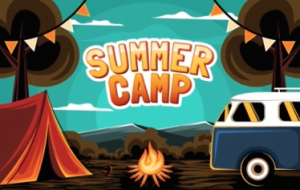
This one is red hot because the first Camp session takes place today (6/23) at 11 am PT/2 pm ET. If you missed out on earlier announcements, there is still time to register and attend. Today’s topic is a showcase of teaching and learning use cases. You absolutely want to check these out. Naturally, we will make recordings available later, but we’ll hope you’ll join us live. Go on, register now. The rest of the newsletter will be here when you get back.
NET+ GCP Subscribers Call
The next GCP Subscribers call is currently scheduled for Tuesday, July 6 at 11:30 am PT/2:30 pm ET. I am going to push that back a week to Tuesday, July 13 (same time) because all of the Googlers are off that week. (Nice, huh?) If you have topics you would like to see discussed, let me know and I’ll add them to the agenda. If they would benefit by having Googlers in the conversation, I’ll make those invitations. Send me your suggestions and requests at bflynn@internet2.edu.
News and Notes
Are You Making STRIDES?

I hope your campus is working to make STRIDES available to all of your NIH-funded researchers. Wait, you aren’t familiar with STRIDES? Wha?? OK. No shame in that. Go read this. It’s not long. We’ll wait. Alright, so you want to get moving with STRIDES, but there are...issues. No worries, tell us what they are. We want to help you be a star for your researchers. Take a couple of minutes (no more than five, really) to fill out this STRIDES Adoption Barriers survey so we can help you remove them.

The Training Landscape
If you watch the online cloud training space you will have noted the purchase of Linux Academy by A Cloud Guru in 2019. Now comes word that A Cloud Guru is being acquired by Pluralsight. The NET+ GCP program has been working with Pluralsight for our Professional Cloud Architects training cohort. They've been great partners. Maybe this will make them even better to work with going forward. Stay tuned.
Opportunities to Get Involved
Help Us Get Creative with Teaching

I am working with the team supporting faculty for teaching and learning. Think curriculum, compute credits for class, Qwiklabs credits, etc.. We are looking to brainstorm with some faculty who teach using GCP (or would like to) and cloud teams who want to develop programs to make it easier for faculty to do so. If you or someone you know would be interested in giving us feedback, possibly piloting some things on your campus, please email me at bflynn@internet2.edu.

What Services Are You Missing?
A school does not succeed with GCP alone. Shocking, right? In order to make cloud a success at your campus, it takes a solid platform but also management and security tools, training, code repos, unit testing tools, and more. Well, I want to know what you are using and what the community would get behind for new NET+ services with better contract terms to match our collective effort. I’ve spelled this effort out in the first of a series of blog posts. Take a minute to read the post and share your thoughts.
Resources

Accelerating Student Success with AI
Long-time friend of the higher ed GCP community, Jesus Trujillo Gomez, has written a nice article about Google’s services to help institutions increase student success. It’s a quick but informative read.
Platform/Service Comparison
If you have come to GCP from another cloud platform or you are trying to speak GCP to your AWS colleague (and need a translator) or maybe you have to manage all three platforms and you’d like your head to stop spinning for just a moment. Check out this new cross-platofrm product map put together by the Google team.
Platform Conversion
Not quite religious conversion, but close. While this is technically an Event, it was an event in the past so I’m calling it a Resource. Feel free to edit your copy of the newsletter if you disagree. Back in April the Googliata held a couple of Cloud OnAir sessions, one each for AWS professionals moving to GCP and Azure professionals moving to GCP. They cover a lot and are quite informative. You may just be coming to GCP and have a frame of reference from another platform. These will help speed your journey.
Not Your Grandma’s GCP Cheat Sheets
OK, so maybe your grandma was the kind of GCP dev who didn’t need cheat sheets, but if she did, you can bet they would have been the purplish ink on white paper and smelling of mimeograph fluid kind, not these fun and amazing works of art by Google developer advocate Priyanka Vergadia. While you are on her site, check out the About tab for other excellent resources. (And kids, if you don’t know about mimeograph machines, go ask grandma.)
From the Slack-o-sphere
If you aren’t on the Cloud Computing Community Group Slack workspace you are missing out on the higher ed cloud conversation with your peers. (Jump over to https://tinyurl.com/edu-cloud-community to find the latest join link.) Here are a couple of tips that popped up recently in the #google channel.
- Object storage vs block storage vs file storage: which should you choose? | Google Cloud Blog
- Have a cool summer with BigQuery user-friendly SQL
- Domain-wide Storage Reporting using Built-in Usage Exports to BigQuery & Data Studio
- BigQuery provides tighter controls over data access | Google Cloud Blog
Thanks
Content
Thanks to the people who have suggested content for this issue (whether they realized it or not) including:
- Alice Kamens
- Joey Avraham
- Eric Stravaalsen
- Nick Young
- Oren Sreebny
Images
Thanks to the good people at Vecteezy for the artwork, specifically:
- momentbloom for Business Startup
- Icon0.com for Big Fish Eat Little Fish
- Redhola Muzny for Summer Camp
- Thanakorn Kotpootorn for Businessman Facing Obstacles
- imajin noasking for Online Classroom
- Graphics RF for Jigsaw
- monsterjoke for Business Open Mind Concept
- joezhuang for Thank You
Join us for a community town hall on June 30th, 2021, to learn about the new Clearspan and emerging issues in unified communications.
One of Internet2’s earliest forays into facilitating community cloud services was to develop a cloud-hosted SIP service. In 2013 Internet2 staff worked with the Technology Evaluation Center at Texas A&M University, other member interested institutions, and two service providers to deliver a hosted PBX solution to the Internet2 membership over the R&E network.
Today, the cloud-hosted PBX solution is provided by Clearspan, formerly part of Mitel, and is offered as part of the NET+ cloud services portfolio. Clearspan has been delivering scalable, cloud-based carrier-grade communication solutions for large organizations and service providers since 2007.
Private equity firm Searchlight Capital Partners acquired Mitel in 2018, creating a unique opportunity for Clearspan. Recognizing Clearspan’s rich history of innovation and focused target market, Searchlight determined Clearspan would best serve the interests of its customers and the firm’s investors as a stand-alone company. In July 2020 Clearspan LLC was launched. Learn more about the Clearspan evolution and their project Dynamik on their web pages https://clearspancloud.com/i2townhall/and more about the NET+ offering at https://internet2.edu/services/clearspan-connected/
The joint Internet2/Clearspan Townhall will provide information about the Clearspan, new UCaaS features available to the Internet2 connected institutions, and new collaboration opportunities with the membership.
Registration for the Town Hall is now open.
For more information on this or any other NET+ service send us an email.
The CSTAAC Cloud Storage Working Group and NET+ Google Workspace Service Evaluation Group invite higher education institutions to complete a survey on management of cloud storage, specifically on content collaboration services. As you are probably aware, Google recently announced their intent to implement storage limits to Google Workspace (formerly known as G Suite Enterprise for Education). Many other cloud storage providers have removed unlimited storage options in recent years.
The goal of this survey is to gather community-level data on current challenges and needs as a result of changing storage policies with a focus on management and migration tooling. The survey results will be published and shared with the community and, specifically, used to inform the NET+ Google Workspace business negotiation and build community requirements for Google Workspace management tooling.
Please take a few minutes to complete the survey here: https://forms.gle/HhbwNNyhjvK5XcGv9.
If you have any questions about the survey or you would like to get involved in these community efforts, please email us at netplus@internet2.edu.
Author: Loren Malm, Ball State University
The Cloud Scorecard Working Group Final Report Released
The cloud scorecard working group, convened by Internet2’s NET+ cloud services program, is pleased to release its final report and invite Internet2 members to participate in the second phase of the cloud scorecard working group focused on the implementation of the scorecard.
The working group final report is a recommendation for the development of a cloud scorecard to help research and education (R&E) institutions quickly assess the degree to which cloud services meet common requirements for operating in the complex technology, security, compliance, and legal environments in R&E. After a community consultation period, the final report is now available on the working group site.
Phase 2 of the Cloud Scorecard Working Group will kick off in early March to develop the format and tools to launch the program in Q2 2021. We are seeking community members to join the working group, and invite higher education, affiliate, regional networks and industry members to join community members in this next phase as we develop the scorecard online presence and work with cloud service providers on a pilot. If you would like to join this group, please let Tara Gyenis know by February 28, 2021.
When we started discussions to launch an assessment process for cloud services in late 2019, never did we imagine a global pandemic would rapidly accelerate the need for and use of cloud services on our campuses. It is our hope that the cloud scorecard will help peer institutions understand the risk profile of services already being used on campus and help assess future services reducing the workload on stakeholders like IT, procurement, individual academic departments and more.
We greatly appreciate the contributions from all of the members of the NET+ Scorecard Working Group Membership and others in the community who provided comments.
NET+ AWS by DLT Newsletter
Here is our latest NET+ AWS program newsletter. This newsletter contains 5 sections including: program news and notes, community events, AWS feature releases, general updates from Internet2 and general updates from DLT.
News and Notes
AWS SSO & Grouper: Seeking Additional Participants
This group is exploring best practices in the use of Grouper with AWS to manage roles and permissions within the AWS environment. The current goals are to document the best practices, including sharing working examples, to identify gaps and propose future work to fill them. If you are interested in participating, please contact Oren Sreebny (osreebny@internet2.edu).
AWS Technology and Tactics calls
For the past year there have been two regular calls on specific AWS technology topics: AWS Organizations and AWS Control Tower. For 2021 we have replaced those calls with a single bi-weekly call on AWS Technology and Tactics. The goal is to have a regular discussion forum for subscribers implementing AWS in the NET+ program, along with colleagues from AWS and DLT, to discuss the technical topics of interest to them. If you are interested in participating in these calls, please contact Oren Sreebny (osreebny@internet2.edu).
Welcome new NET+ AWS Service Advisory Board Members
Join us in welcoming The Pennsylvania State University and the J. Paul Getty Trust to the NET+ AWS SAB. They are represented by Rick Rhoades and David Lacey respectively. We also welcome Chris Manly replacing Sarah Christen representing Cornell University and James Bennett replacing Bob Flynn at Indiana University. See the full list of SAB members and how to contact them on the NET+ AWS service page https://spaces.at.internet2.edu/pages/viewpage.action?pageId=158663221
Community Stories and Events
Kevin Murakoshi’s Re:Invent Recap
On January 26 Kevin Murakoshi from AWS held a session where he went over announcements from Re:Invent 2020 that he thought were of potential interest to higher education. The recording of the event and Kevin’s slides are available here: https://drive.google.com/drive/folders/1WtZS89vMsRqyeFHxzcwFJz5x3qja9HyI?usp=sharing
I2 Online: Self-service research environments
An upcoming I2 Online event will explore two new AWS-based services that enable campuses to manage self-service environments for researchers. Parice Brandies and Nathan Albrighton will speak about RONIN and its use at the University of Sydney, and Paul Avillach and Madhu Bussa will show the AWS Service Workbench and its use at Harvard Medical School. The event will take place on February 24 from 3:30 - 5:00 pm Eastern. To register for the live event and receive notification of the availability of the recording, see https://bit.ly/2YhmZeC.
Cloud Forum
The February session of the Cornell Cloud Forum will feature Dr. Julia Lane, Professor at the NYU Wagner Graduate School of Public Service whose team was asked by the OMB and the Census Bureau to build a secure environment to inform the decision-making of the Commission on Evidence-Based Policy. The result was The Administrative Data Research Facility, a repository of over 100 confidential data sets, built on AWS. The event opens with a presentation on using Terratest to manage IaC by the cloud team at the University of Colorado.
The Cloud Forum takes place this Friday, February 12 at 12pm ET. Details available at http://blogs.cornell.edu/cloudforum/home/agenda/
Key Product or Feature Updates
Amidst the sea of announcements and updates from AWS Re:Invent this year (I personally hope the new virtual format is here to stay!) there were a few that stick out to me (Oren) as worthy of special mention (for more on Re:Invent 2020, see Kevin Murakoshi’s recap session linked above).
The introduction of container image support for AWS Lambda feels like a fairly fundamental shift in the way Lambda services are deployed and managed. If you’re using Lambda at all, or looking into building serverless apps (and why wouldn’t you be doing that?), you should watch Chris Munn’s talk on YouTube: https://youtu.be/X-1xf-DbCBk
At last! A browser-based Cloud Shell comes to AWS! https://docs.aws.amazon.com/cloudshell/latest/userguide/welcome.html
Understanding ML bias and why ML models make the predictions they do is increasingly important. Sagemaker Clarify is a new service that helps do just that. Here’s a Re:Invent talk on it. https://youtu.be/kJdOxZwiyJo
And if you’ve got departments looking for ways to teach practical applications of ML, the new Sagemaker Jumpstart offers prebuilt models as starting points for exploration of using ML in common scenarios. The initial batch of models include financial fraud detection, demand forecasting, purchase modeling, handwriting recognition, and others. Could be very useful in business schools, econ departments, and beyond. Here’s a blog post about it: https://aws.amazon.com/blogs/aws/amazon-sagemaker-jumpstart-simplifies-access-to-prebuilt-models-and-machine-learning-models/
Updates from Internet2
Welcome Bob Flynn
We are pleased to welcome Bob Flynn to the Internet2 team as program manager for Cloud Infrastructure & Platform Services. Bob joins us after 20+ years at Indiana University where in recent years he managed cloud technologies. He has served on the NET+ AWS SAB for several years and chaired the NET+ GCP SAB. Bob is an active leader in the higher ed cloud conversation as an organizer of the Cornell Cloud Forum and serving as co-chair of the Cloud Computing Community Group from 2017-2020. You can reach Bob at bflynn@internet2.edu.
Check out the Latest NET+ Update
Our latest community update includes service news, a recap of virtual events and opportunities to help us plan for 2021. Of particular interest to our NET+ AWS community might be the CloudCheckr Premium service validation. Check it out! Get involved.
Cloud Retention and Storage Working Group: Seeking Additional Participants
Cost-effective storage of video assets has become a hot-button issue as work and teaching were forced to go virtual during the pandemic. This CSTAAC working group is working with NET+ members and service providers to identify and document best practices (in both policy and technical realms) for video storage and to recommend opportunities for concerted community action. If you are interested in participating, please contact Oren Sreebny (osreebny@internet2.edu).
Updates from DLT
DLT & AWS continue to help education institutions of all sizes soar higher and further in the cloud. Cloud computing has been touted as a disruptive technology for years. Nothing has tested those claims more than the COVID-19 Pandemic. Cloud adoption at this scale normally would have taken years has been accelerated to months. Even with a surge of schools opting for in-person learning starting in February many are still continuing to conduct instruction and operations online. Schools are embracing the vast delivery of courses and operational benefits cloud provides. Each month DLT and AWS will be focusing on a specific education-focused cloud solution. DLT along with our strategic partners have aligned to help support schools by region and solution offering. Starting in February here’s a preview of what to expect…
Back-Up & Recover Data Simply and Securely with Storage Solutions from AWS and DLT
Universities have complex data storage and retrieval needs ranging from admissions, distance learning, research, and general operations to human resources. Accidental file deletion, ransomware attacks, or unforeseen events can be both costly and distressing resulting in downtime and lost revenue.
Cloud-based backup and disaster recovery solutions are becoming increasingly popular among educational institutions. Education entities of all sizes are getting away from traditional on-premises backup and recovery solutions due to the large upfront investment in infrastructure and ongoing, specialized maintenance. More schools are now leveraging the flexibility and scalability of the cloud for more efficient, durable, and secure backup storage.
Migrate Windows workloads to AWS
If I asked you which cloud provider had the most experience running Microsoft applications, would you know the answer? You might be surprised. Customers have been running Microsoft Workloads on AWS since 2008 – two years before Microsoft Azure became commercially available.
With Microsoft applications making up 60% or more of most on-premises data centers, more and more schools are moving their Microsoft workloads to AWS to improve performance, increase availability, and improve their security posture. AWS offers the ideal infrastructure for Windows. Migrate to AWS with DLT to secure your Windows workloads.
LabArchives releases Jupyter Notebooks integration
NET+ LabArchives reached 20 subscribers earlier this year. The Electronic Lab Notebook (ELN) is being used successfully enterprise wide by tens of thousands of faculty and researchers in the Internet2 community. In the coming months, the NET+ LabArchives Service Advisory Board members will evaluate for inclusion in the NET+ program two other LabArchives products: LabArchives Scheduler, which has ~70,000 users worldwide, and LabArchives Inventory. Recently, LabArchives integrated with Jupyter Notebooks. The new integration with Jupyter Notebooks empowers users to capture data science, scientific computing, and machine learning workflows within LabArchives ELN for Research.
NET+ GCP offers the easiest path to use of the NIH STRIDES program
The National Institutes of Health STRIDES program offers deep discounts on cloud usage for NIH-funded research work. Enrolling an institution to take advantage of STRIDES with NET+ GCP only requires filling out an additional order form with your chosen NET+ GCP reseller. For more information on using NET+ GCP with STRIDES check out our blog post or email netplus@internet2.edu.
NET+ AWS campuses implement AWS Organizations and Control Tower
AWS Organizations and Control Tower are AWS features that help institutions to manage and govern their multi-account AWS environments. The NET+ AWS Organizations and Control Tower working groups have helped map out strategies for campuses to successfully implement Control Tower in their AWS environments, and Internet2 published a post by Peter Traub outlining the implementation of Control Tower at the University of Virginia. If you are interested in participating in these working groups, please email netplus@internet2.edu
NET+ cloud services town halls are designed to keep subscribers up to date on the latest product updates, any NET+ program changes and to encourage and enable dialog amongst subscribing institutions for the various services. Here is a recap of some of the services that added or expanded town halls in 2020.
NET+ Zoom Community Town Halls
As universities were forced to move their campuses online, a lot of attention was focused on Zoom’s security, compliance and integrations with other systems. To help address the community concerns, the NET+ Zoom program coordinated the following community calls:
- April 14 - Zoom Addresses Security & Privacy Concerns
- June 16 - Community Roundtable to discuss upcoming Zoom releases that affect higher education
- December 9 - Updates to Zoom’s LTI Pro App
For more information about the program or upcoming events, please contact netplus@internet2.edu.
NET+ DocuSign Program Launches Quarterly Subscriber Town Hall Series
On October 20th DocuSign gave a presentation of their roadmap, and representatives from University of California-Berkeley, University of Massachusetts, University of Maryland-Baltimore County, and University of Texas-Austin shared details about the rollout of DocuSign on their campuses. Town Halls such as this are only open to subscribers. The next Town Hall will be taking place on January 19th. If you would like to ensure you are invited to the January event and any future events or to learn more about how to sign up for the NET+ DocuSign program, please contact netplus@internet2.edu.
Quarterly Town Hall for NET+ ServiceNow Subscribers
Over the summer, the NET+ ServiceNow program began a new series on engaging NET+ subscribers in a town hall format. The inaugural event was based around an effort between the NET+ ServiceNow Service Advisory Board and ServiceNow product owners on designing a “Back to Campus” service to allow for institutions who were heading to an in-person instructional format to do so in a more safe environment. The town hall was then set up to draw feedback from program participants on work that was progressing in this toolset. For more information on this series, please contact netplus@internet2.edu.
NET+ AWS Town Hall
The first of what will be regular Town Hall sessions for NET+ AWS subscribers was held on December 2. Topics discussed included virtual desktop services available from AWS (Workspaces and AppStream); an update from the working group looking at integrations between AWS SSO and Grouper; and, a discussion of managing connectivity to AWS, including use of the Internet2 Cloud Connect service. For more information on this series, please contact netplus@internet2.edu.
Quarterly NET+ Code42 Town Hall
The NET+ Code42 program held its quarterly all subscribers town hall on October 15. The focus of the town hall was on Code42's new product branding of Incydr and CrashPlan. Information on the town hall is available on the Code42 wiki.
Palo Alto Networks Service Evaluation Update
NET+ Palo Alto Networks service evaluation has continued since the last quarterly update and is completing a service evaluation on Palo Alto Prisma Access, Cloud, Security Operations Automation, Next-Generation Endpoint,
and Network Detection and Response. The NET+ Palo Alto program held an Internet2 NET+ Palo Alto - Enabling Secure Remote Learning for International Students Community Call and the recording, slides, and Palo Alto Prisma Access Service for international students resources are available.
CloudChecker Premium Update
NET+ CloudCheckr Premium service evaluation has entered the final stages, with agreement negotiations underway. This offering will include total visibility for cloud spending across the three most highly adopted cloud infrastructure providers: AWS, Microsoft Azure, and Google Cloud Platform. Service features will include delegation of access to individual account owners on a campus, access to APIs to automate billing reports, and provide visibility to the security posture of a campus’ cloud footprint. The program is expected to launch in early 2021.
GSEfE Update: Amplified IT and Burwood conditionally selected as Resellers for GSuite Enterprise for Education (GSEfE)
The NET+ GSuite Enterprise for Education (GSEfE) Service Evaluation participating schools have completed the security, identity, accessibility, and functional evaluation of the platform. Amplified IT and Burwood were selected as Resellers for the NET+ program via a competitive process in November 2020. Agreement negotiations with Google and the two Resellers are underway, and the program is expected to go live in the early part of 2021.
NET+ airSlate/signNow to join the NET+ Program
With support from Claremont Graduate University, airSlate/signNow is expected to enter the NET+ Program as a pre-evaluation NET+ service in the early part of 2021. Services include an e-signature solution, workflow automation software, document generation, and more. A pre-service evaluation agreement will be available soon. Representatives from Claremont Graduate University, University of Rhode Island, and University of Michigan have joined the Early Adopters group to help drive the product roadmap for our Higher Education community, ensuring airSlate/signNow meets the NET+ program standards. If you are interested in more information or would like to join the Early Adopters Group please contact Dana Voss.
The NET+ Code42 program held its quarterly all subscribers town hall on October 15. This town hall is designed to keep subscribers up to date on the latest Code42 product updates, any NET+ Code42 program changes and to encourage and enable dialog amongst subscribing institutions.
The Fall 2020 Town Hall covered the following topics:
- Program Updates and Reminders
- Product Roadmap Update
- Overview of Branding Changes - CrashPlan and Incyder
- Community Topics
- Is anyone leveraging the Code42 API to pull Crashplan data into their CMDB (eg. ServiceNow)?
- Overview of the new SCIM integration and how it works with Azure and Google.
Subscribers may access the following materials:
- Agenda and Notes
- Presentation Slides
- Full Recording
- Additional Files, including the transcript
Are you a subscriber to the NET+ Code42 program and need access to the files? Please click request access to the NET+ Code42 Community Google Drive folder and let us know what institution you are from.
We look forward to seeing you at our next town hall in 2021!
Our colleague Nick Young at UNCG has shared his scripts for auditing IAM settings on projects within a GCP organization. The scripts use Python on GCE, pushing the results to BigQuery.
The scripts are available at https://github.internet2.edu/nyoung/gcp-gce-project-audit-bq
Thanks, Nick!