
This notice is regarding the Request for Proposal (RFP) for AWS Public Sector Partner, issued by Internet2 NET+ Cloud Services. The RFP team has evaluated proposals received using the evaluation criteria identified in the RFP and Four Points Technology, LLC has been selected.
This award decision is conditional upon final approval by Internet2 and the successful negotiation of a contract.
Lee Pang, Principal Solutions Architect, Health AI at AWS presented at our quarterly NET+ AWS Town Hall on AWS Omics. NET+ AWS Town Halls are typically a subscriber benefit, but periodically we open the Town Halls up to share interesting topics.
Amazon Omics helps healthcare and life science organizations and their software partners store, query, and analyze genomic, transcriptomic, and other omics data and then generate insights from that data to improve health and advance scientific discoveries.
In this session, you can learn how Amazon Omics provides scalable workflows and integrated tools for preparing and analyzing omics data and automatically provisions and scales the underlying infrastructure so that you can spend more time on research and innovation. Amazon Omics supports large-scale analysis and collaborative research.
This session is for research decision-makers, researchers, and RCD team members who want to learn how Amazon Omics can accelerate research, support large-scale analysis, and generate insights to improve health and advance scientific discoveries.
The slides and recording are available below.
Internet2 is issuing an Addendum to the Request for Proposal ("RFP"), which may obtained at: https://internet2.box.com/v/netplus-aws-rfp-addendum1
- Proposal submissions must include a signed copy of the Addendum.
Interested respondents may also request a copy of the Questions and Answers previously submitted during the Q&A period by emailing Sue Gavazzi at sgavazzi@internet2.edu.
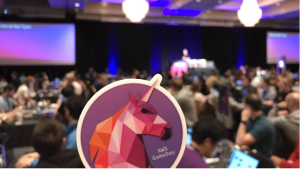
If you’re up for an engrossing, wild ride that’s crazy fun, then you’re ready for AWS GameDay.
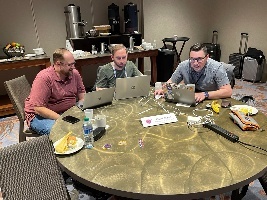
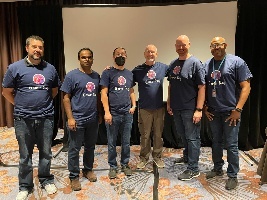
Internet2 NET+, together with AWS, DLT, and Cloud Academy, are bringing AWS GameDay to the 2023 Community Exchange and Cloud Forum in Atlanta, GA.
What is AWS GameDay?
A “collaborative learning exercise that tests skills in implementing AWS solutions to solve real-world problems in a gamified, risk-free environment.”
How do you play?
- Recruit your own team (preferred) or show up and join one onsite.
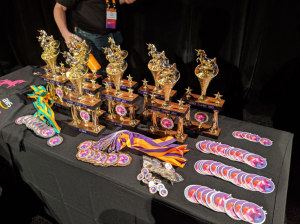
- Compete against the game and against other teams for glory and prizes.
- Walk away with sharper AWS skills and a story to tell.
Highlights:
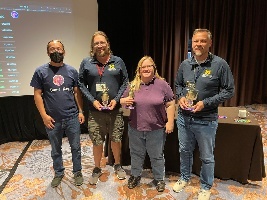
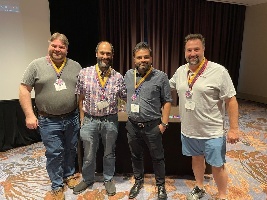
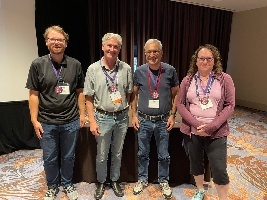
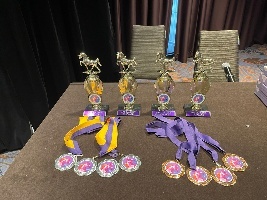
| First Place B Squad | Second Place | Third Place Active Cumulus | Best Team Name Raiders of the Lost Architecture | Stick With It Award Team Won |
|---|---|---|---|---|
|
|
|
|
|
| Action Shots | ||||
|
|
|
|
|
|
|
|
|
|
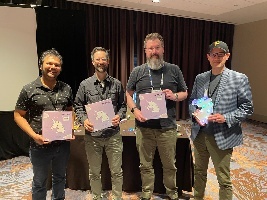
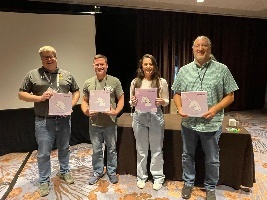
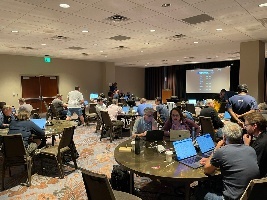
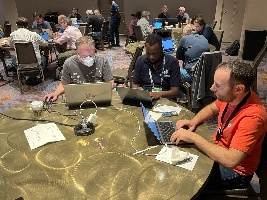
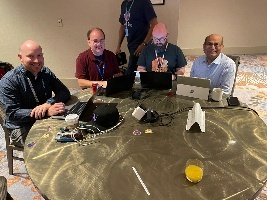
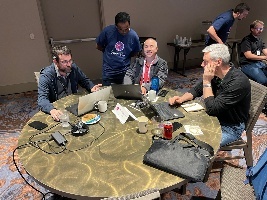
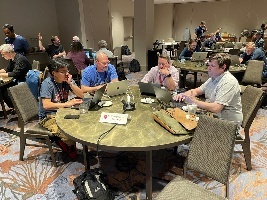
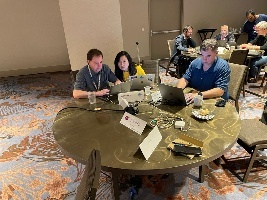
GameDay Details:
When | Friday, May 12, 2023, 8 a.m. – 3 p.m. |
Where | The Westin Peachtree Plaza |
Cost | Free of charge, thanks to our sponsors TD Synnex Public Sector/DLT and Cloud Academy |
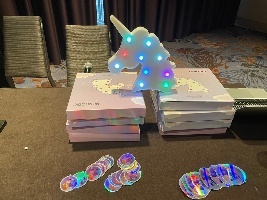
The Game | We are running the Infinidash Ride-Hailing GameDay: The Infinidash Ride-Hailing GameDay requires participants to make technical and (light) business decisions to win. This means while teams need technical skills to complete, fix and improve Infinidash’s infrastructure, some business acumen will come in handy to decide on how to set up and assign their unicorn fleet. Teams of 3-4 will run an imaginary company that rents mythical creatures. Your task will be to manage the company’s infrastructure as the market reacts to your exciting new business. |
The Players | Bring your whole team, or a partial team, or come prepared to join a team at the event. Registration information is below. |
What’s Included |
|
Skills Used (all included in the Cloud Academy learning path) |
|
GameDay Registration & Preparation:
Step 1 Register | Step 2 Complete Team Roster | Step 3 Access Prep Work |
Register for GameDay through the Community Exchange Registration or the Cloud Forum Registration. All registrants will receive two email messages from the Internet2 registration system.
Please read and follow the instructions in both emails. | Once we have confirmed your registration, we will send you to a form where you can enter your team roster. You will indicate whether you have a full or partial team or if you will be looking to pick up with a team on-site. | You will receive an email invitation from Cloud Academy to set up an account to access GameDay preparation materials. Cloud Academy orientation sessions will take place on Thursday, April 6 at 2pm EDT. This will be recorded for those who cannot attend during the times provided. |
Questions or Concerns:
Please contact Bob Flynn, Internet2 Program Manager, Cloud Infrastructure & Platform Services, at bflynn@internet2.edu.
GameDay Sponsors:
Internet2 and the higher education cloud community are grateful to our sponsors AWS, TD Synnex Public Sector/DLT, and Cloud Academy for their generous support of this event.

Internet2 is distributing a Request for Proposal (“RFP”) to solicit proposals in connection with possible agreement(s) between us and a reseller or distributor with expertise related to the marketing, sale, licensing and/or distribution or resale of certain cloud based services, namely Amazon Web Services (such services, “AWS” and each such reseller or distributor, an “AWS Partner”), to the US research and education community (the “Services”) through the Internet2 NET+ Program (the “NET+ Program”).
The full RFP document may be obtained online at: https://internet2.box.com/v/netplus-aws-rfp
- Proposals will only be accepted via email, as outlined in the full RFP document, no later than 6:00 pm ET, February 17, 2023.
- Interested Respondents may also submit questions regarding the RFP as outlined in the full RFP document, but no later than 6:00 pm ET, January 27, 2023
Proposals must be complete in all material respects and signed by a duly authorized signatory of the Respondent in order to be considered.
Internet2 reserves the right to reject any and all proposals, and if it determines to award a contract, it reserves the right to select the person that best meets the requirements, as determined by Internet2 in its sole discretion, set forth in the full RFP document.
Internet2 is intending to release a Request for Proposal (RFP) in January 2023, for cloud-based services in connection with the marketing, sale, licensing and/or distribution or resale of Amazon Web Services to the research and education community through the Internet2 NET+ Program. The RFP will be posted on this page.
The purpose of this notice is to provide early awareness of this impending RFP in our effort to support broad and fair competition. This notice is informational only and does not confer any rights to prospective vendors and does not obligate the Internet2 to engage in any procurement or to purchase any services.
The special sauce of all NET+ programs is at its tastiest (and most nutritious) when we gather as a community to share our work and our challenges and work through them together. This has been particularly piquant in the NET+ AWS program of late. In this newsletter, I share several excellent events and a couple of quick news items.
Events
There are so many hot conversations coming up, I had to write them all down for you. The first one is TOMORROW and you won’t want to miss it.
September
NET+ AWS Tech Jam
- Topic: Show Me the Money - Two sides of the billing coin
- Nick Adair from Baylor College of Medicine has brought this challenge to the TJ Table: “I would like to use AWS Control Tower to manage research accounts in a master-payer structure. Each subscription (account) will have a bill generated, including the master-payer account. The billing detail will include service totals for chargeback purposes.”
- Kevin Murakoshy, AWS SA extraordinaire, responded that he’d see that challenge and raise it one, “Come help us design a billing tool! In this tech jam, we’re going to gather requirements for a tool that will help us build bills for recharge. Beyond simply allocating the bill, we’re also going to look at ways to move charges for certain services into the payer (i.e. networking/security), and more!
- Time: Wednesday, September 21 at 11am PDT/2pm EDT
October
NET+ AWS Tech Share
- Topic: Update and Demo of StreamOne Ion (SIE), the CloudCheckr replacement from DLT
- Description: DLT is phasing out CloudCheckr as the tool for you and your account holders to track their AWS costs. Gotthard Szabo, Director of Cloud FinOps at DLT will join us to describe the transition for NET+ AWS customers, give a demo of SIE and update us on the timeline.
- Audience: Anyone involved in the operational management of AWS at subscribing NET+ institutions.
- Speaker: Gotthard Szabo, Director of Cloud FinOps, DLT
- Time: Wednesday, October 5 at 8am PDT/11am EDT
NET+ AWS Town Hall
- Topic: Key Considerations for Supporting Academic Researchers
- Description: Researchers are increasingly leveraging computational technologies as a key approach within their research. More and more disciplines are leveraging data, simulation, and advanced analytics to perform their research. Researchers have increasingly complex requirements and expectations as they join institutions and funding agencies are requiring new and more complex data retention approaches. At the institutional level, developing a strategy on how to support the wide range of requirements in a supportable, cost-effective, and secure way has become a critical strategic initiative. This session will discuss a perspective on how to support researchers, impacts from the funding agencies, and AWS technology solutions.
- Audience: This session is for higher education information technologists, VPs of Research, and principal investigators interested in using cloud to accelerate and scale their scholarship.
- Speaker: Rick Friedman – Head, US EDU Research Strategy and Business Development team
- Time: Wednesday, October 19 at 11am PDT/2pm EDT
- Place/Registration: https://internet2.zoom.us/webinar/register/WN__YP4BH8IToKuW9ArcaAPsQ
November
NET+ AWS Tech Share
- Topic: Account provisioning practices of UW-Madison
- Description: Regular attendees of the bi-weekly Tech Share calls have already learned a thing or two from Wisconsin’s Kelly Rivera. On a recent call she described in detail their part-automated/par-manual process of provisioning accounts in their AWS Org. The elegance of their maneuvering through the various policy, configuration, technical, and maybe even spiritual obstacles was so profound that on the spot her peers demanded some show and tell. Kelly herself admits that she’s never satisfied until it’s perfect, but it sounded mighty good to all on the call. Thankfully she gave in to the group’s pleadings and will share her team’s hard-won wisdom. You won’t want to miss this!
- Audience: Anyone involved in the operational management of AWS at subscribing NET+ institutions.
- Speaker: Kelly Rivera, Lead Cloud Engineer, UW-Madison
- Time: Wednesday, November 2 at 8am PDT/11am EDT
NET+ AWS Subscriber Call (Leadership Edition)
- Topic: The Role of Cloud in Institutional Resilience
- Description: The last two years have demonstrated the unique role hyper-scale, on-demand computing in keeping the institution operational when faced with unexpected circumstances. A recent EDUCAUSE QuickPoll on institutional resilience prompted the question of the part cloud computing should, and shouldn’t, play in your organization’s resilience planning. Invite your leadership to join leaders from our community to discuss how, where and when we should be thinking about these powerful tools.
- Audience: Strategic IT thinkers and decision makers – CIOs, AVPs and Directors of Infrastructure, Cloud Enablement Managers
- Panel:
- Damian Doyle, Deputy CIO, UMBC
- Rick Rhoades, Chair, NET+ AWS SAB and Manager, Cloud Services, PSU
- Kari Robertson, Executive Director of Infrastructure Services at UCOP
- Jennifer Sparrow, Senior Manager, Higher Ed Business Development, AWS
- Time: Wednesday, November 16 at 11am PST/2pm EST
December
AWS Game Day at Internet2 TechEx
- Topic: AWS Game Day
- Description: AWS Game Day is an exciting, risk-free, hands-on way to explore and improve your AWS skills. Teams of 3-4 band together to run a company selling mythical animals through the ups and downs of that notoriously turbulent market.
- Audience: Anyone from seasoned cloud pros to those with minimal experience. Special prices for student teams. Tell your faculty!
- Details: Full event details including the ridiculously low price (thank you sponsors!), the special pre-event training opportunities, prizes, etc. can be found on the event page.
- Time: Monday, December 5, 9am-3pm MST
- Place: On-site, in-person, IRL @ the Internet2 Technology Exchange in Denver
News Shorts
NIH STRIDES Initiative
Earlier this year we announced that the NIH STRIDES Initiative for AWS was now available through the NET+ AWS Program. Full documentation on how to request STRIDES accounts or enable existing accounts for STRIDES is now available on the NET+ AWS program wiki. Vist that or jump straight to the links themselves!
- NET+ AWS NIH STRIDES Initiative Frequently Asked Questions
- Requesting an NIH STRIDES account through DLT
If you have any questions, frequent or unique, please contact Bob Flynn (bflynn@internet2.edu)
HECVAT
AWS has recently finished a new HECVAT Full updated to the 3.03 version. It is available to customers who are under NDA. Contact your AWS Account Manger (AM) to request access. If schools don’t know who their AM is, they can use the “contact us” link on the AWS webpage to find out.
AWS is also working on a HECVAT 3 Lite that will be available without NDA. That document is still going through legal as they massage language on a couple of questions.
It is hoped both will be posted to the HECVAT Community Broker Index soon.
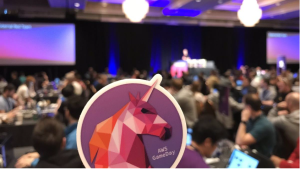
If you’re up for an engrossing, wild ride that’s crazy fun, then you’re ready for AWS Game Day @ TechEx 2022.
Internet2 NET+, together with AWS, DLT, and Cloud Academy, are bringing AWS Game Day to the 2022 Technology Exchange in Denver, CO.
What is AWS Game Day?
A “collaborative learning exercise that tests skills in implementing AWS solutions to solve real-world problems in a gamified, risk-free environment.”
How do you play?
- Recruit your own team (preferred) or show up and join one onsite.
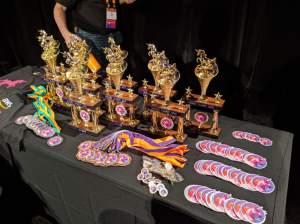
- Compete against the game and against other teams for glory and prizes.
- Walk away with sharper AWS skills and a story to tell.
Game Day Details:
When | Monday, December 5, 2022, 8 a.m. – 3 p.m. |
Where | Sheraton Denver Downtown Hotel |
Cost | Until 10/21 – $35 per person General Admission ($10 students) After 10/21 – $50 per person General Admission ($20 students) |
The Game | Teams of 3-4 will run an imaginary company that rents mythical creatures. Your task will be to manage the company’s infrastructure as the market reacts to your exciting new business. |
The Players | Bring your whole team, a partial team, or come prepared to join a team at the event. Registration information is below. Note: Each member of your team must register separately. |
What’s Included |
|
Skills Used | EC2, VPC, AutoScaling, ELB/ALB, CloudFront, Elasticache, S3, CloudWatch, ECS/Fargate |
Game Day Registration & Preparation:
Step 1 Register | Step 2 Complete Team Roster | Step 3 Access Prep Work |
Register for Game Day through the Tech Ex Registration. Note: You do not need to register for Tech Ex if you are only attending Game Day. To register as a student, contact meetingregistration@internet2.edu. All registrants will receive two email messages from the Internet2 registration system.
Please read and follow the instructions in both emails. | Once we have confirmed your registration, we will send you to a form where you can enter your team roster. You will indicate whether you have a full or partial team or if you will be looking to pick up with a team on-site. | You will receive an email invitation from Cloud Academy to set up an account to access Game Day preparation materials. Cloud Academy orientation sessions will be offered in early November. They will be recorded for those who cannot attend during the times provided. |
Questions or Concerns:
Please contact Bob Flynn, Internet2 Program Manager, Cloud Infrastructure & Platform Services, at bflynn@internet2.edu.
Game Day Sponsors:
Internet2 and the higher education cloud community are grateful to our sponsors AWS, DLT, and Cloud Academy for their generous support of this event.

Good Morning,
I am writing on behalf of the Internet2 AWS Service Advisory Board (SAB). The AWS Higher Education Team has requested our assistance with collecting requests for enhancements or changes to AWS and its services, with the hope of improving the platform for the research and education community. To facilitate this, we developed a form to collect the requests, the associated use cases, and their overall impact on your ability to use AWS.
These requests could be challenges in managing AWS at the enterprise level, a little tweak to a service that would help you end some work-around or a major challenge to a researcher’s ability to use the platform.
We are asking everyone in the research and education community to contribute to this effort, regardless of whether your organization is using AWS for enterprise work, research, teaching, and learning, or something else. It doesn't matter if you are on Internet2’s NET+ contract, on a direct contract with AWS, or have access through some other program.
Submit as many requests as you like but, please complete a separate form for each request. The request form can be found at:
Request Form: https://forms.gle/SpW11KexDw3Drf5q9
We also encourage you to indicate your support for existing requests by reviewing our request tracker located at:
Request Tracker: https://tinyurl.com/HED-AWS-FeatureRequests
This will help the SAB gauge their impact and prioritize these requests for AWS. Working with AWS Education CTO Leo Zhadanovsky, the SAB will pass all requests on to the AWS product teams, with those having the greatest support getting the greatest attention.
We will submit your requests to AWS on a quarterly basis, so we will reach out to the community in advance to ask for new requests as well as your support for existing requests. We will work with AWS to update the status of submitted requests on a regular basis.
I am excited about this initiative and hope you will join me in making it a success.
Rick Rhoades
Manager, Cloud Services
Penn State University
Chair, Internet2 NET+ AWS Service Advisory Board
We had a great EDUCAUSE Member QuickTalk | NET+ LastPass on 3/31/2022! Many thanks to Aaron Baillio, Chief Information Security Officer (CISO), and Jonathan Killgore, IT Specialist, at the University of Oklahoma for sharing how they deployed NET+ LastPass on their campus. There were 57 participants on the call to listen and ask questions. EDUCAUSE QuickTalks, in-person conferences, and NET+ community events are a great way to learn about how your peers are solving problems on their campuses.
During this QuickTalk, we learned how OU deployed NET+ LastPass with MFA enabled to almost 13,000 faculty and staff to help them better manage their passwords. Baillio and Kilgore also described engagement with students at the start of the semester to introduce them to self-service enrollment using LastPass to improve student password hygiene. As part of the initial project planning to deploy LastPass, they involved a broad range of stakeholders to identify the needs of their community. Their deployment was more successful than they expected and didn’t result in many calls to their helpdesk. Baillio discussed one area of interest to many campuses, which is distributed administration. He described how they used the managed companies’ functionality to enable distributed administration with multiple different roles for Helpdesk, Endpoint Admins, departmental management, and others. One participant on the talk commented about how on their campus the families as a benefit (mentioned in the last NET+ LastPass program update!) helped them with gaining support for their deployment.
The recording can be accessed on the EDUCAUSE Member QuickTalk | NET+ LastPass webpage.
I also mentioned a NET+ LastPass program update blog post that was posted this morning when I gave an overview of the program. If you have any questions about the NET+ LastPass program, please feel free to reach out to me with any questions.
The value of the NET+ programs goes far beyond the peer-vetted contract terms. Subscribers might come for the contract, but they stay for the community. Subscribing to a NET+ program is a powerful workforce multiplier and an extended higher-ed-focused knowledge base. Technology conversations with peers, technical deep dives on community-driven topics, service advisory boards, and conversations with education leadership at the service providers are all core to the NET+ experience. In the NET+ AWS program, we hold bi-weekly Technology Share calls, quarterly "Tech Jams," strategy-centered Subscriber Calls, and thematic Town Hall events. Topics covered at past Town Halls include Ransomware, AWS Educate & Academy, and Service Workbench & RONIN for researchers.
This month, in honor of Earth Day, we turn our attention to the environment. We welcome Hahnara Hyun, Partner Solution Architect, Amazon Web Services to present a session called Sustainability and AWS: Insights for Higher Education. In general, NET+ program events are only open to subscribers, but due to the importance of this work and this message, we are opening this session to the entire research and education community.
- Title: Sustainability and AWS: Insights for Higher Education
- Session Description: Digital Transformation can drive improved student outcomes, speed time to science, and increase agility within higher education institutions. Higher education leadership, responding to student and faculty demands, look to incorporate sustainability goals and practices into the university experience. In this session, we’ll talk about sustainability transformation, how we’ve been approaching it at Amazon and AWS, and actions higher education customers can take to incorporate sustainability into their digital transformation efforts.
- Date: Wednesday, April 20
- Time: 11am PDT/2pm EDT
- Speaker Bio: Hahnara Hyun is a Partner Solution Architect for Amazon Web Services. Hahnara has a background in software engineering. She began her journey in tech at Fullerton College and received her Computer Science B.S. from the University of California, Irvine where she was an undergraduate machine learning researcher. She found her passion in enablement, sustainability, and cloud architecture. As a result, in her day-to-day role, she develops AWS GameDays to enable partners and customers to build on AWS. Hahnara is also a public speaker for AWS and ran sustainability enablement sessions at re:Invent 2021. In her free time, Hahnara plays volleyball though she’s not very good yet and loves to cook, losing most of her free time making multiple trips to the grocery store grabbing forgotten items.
Postscript
The event has taken place. If you were unable to or would like to have the slides to follow the links Hahnara shared, you can find the recording, slides, and other assets in this folder.
Time is flying by and keeps getting away from me! There have been several changes to the program since our last NET+ LastPass update in December 2020 that I will highlight here, including updates on LastPass transitioning to an independent company, the 2021 program update, and LastPass feature and functionality as well as answering a frequently asked question that came up in community discussions. Even though 2021 was another very challenging year for everyone, the NET+ LastPass program has continued to grow with 51 campuses signed up and several more recently added!
LastPass transitioning to an independent company
The NET+ LastPass program was formally launched during a service evaluation in 2014 with a start-up at the time named LastPass at the helm. LastPass was acquired by LogMeIn, and at the end of 2021, LogMeIn decided to transition LastPass back into an independent company. Like the other transitions, this one should have minimal impact on NET+ LastPass campuses. One benefit for campuses will be additional focused development resources being devoted to LastPass accelerating updates. We have been in contact with LastPass and the GoTo team to coordinate on details relating to the transition. Additional information from GoTo on the transition can be found here.
Status update on the 2021 program update
In the 2020 update, the first major update to the program announced campuses would be transitioning from the legacy agreement to the updated agreement that they were involved in developing. We’ve now worked though most of the campuses transitioning to the updated agreement with only a couple campuses on multi-year agreements still to transition.
Update on LastPass features and functionality
LastPass has been busy developing features and functionality of interest to the higher education community:
- There’s a new Google Workspace integration for campuses that use Google as their directory, which makes it easier for you to manage users in LastPass, and for your end users to access their LastPass accounts.
- New dark web monitoring is available that campuses might be interested in. I keep hearing about campuses dealing with the most recent compromised password lists and campuses’ responses. Adding in the dark web monitoring using NET+ LastPass could help alert people when their emails show up on the dark web and potentially help campus information security teams. Users can access the dark web monitoring in their Security Dashboards. For campuses that don’t want their end users to access it, there is a policy for admins to turn this off. If you’ve used this, I’d love to hear your feedback because it could be valuable to campuses.
- LastPass Vault Accessibility Updates: Updates to the LastPass vault completed in May 2021 have removed some of the usage barriers for users with disabilities. After a recent accessibility assessment resulting in 83% WCAG (Web Content Accessibility Guidelines) 2.1 AA Compliance, LastPass’ VPAT documentationis now available for customers under an NDA.
- An extensive list of LastPass new features and future features will be announced regularly through LastPass Insider.
- LastPass is working on an update around the Premium as a Perk aspect of the program updating it to Families as a benefit.
- LastPass recently blogged about cyber liability insurance as many insurance companies are requiring password management and multifactor authentication to reduce premiums.
- LastPass also held a webinar with our partner the REN-ISAC on Password Hygiene in Higher Education: Risks, Solutions, and Strategies that may be of interest to the community. The recording can be found here.
As mentioned in previous updates, we’re discussing a potential service evaluation for LastPass MFA and LastPass SSO. If you’re interested in that, please reach out to me.
Answering a frequently asked question
One of the most frequently asked questions in community discussion pertains to price increases. Why have there been so many price increases? The campuses asking those questions are on direct agreements for LastPass, so I’m not familiar with the details. For the NET+ LastPass program, we have had one price increase for new and existing campuses since the start of the program in 2015. The NET+ LastPass customer agreement also has a term in it that limits price increases for existing campuses to up to 5% annually. This is one of the many strong contract terms that campuses negotiated with LastPass as part of the NET+ LastPass program.
Closing
That’s a lot of updates, so thanks for reading to the end! iIf you have any questions, suggestions, or want to get involved in the NET+ LastPass program, please reach out to me!
Here at Internet2, we are fortunate to be working with a wonderful group of students from Notre Dame's Master of Science in Business Analytics program. The group is working to help us gain insight from detailed usage data we get from the NET+ AWS and GCP programs. Our hopes are that we will be able to use that data to observe emerging patterns of cloud infrastructure in higher education and research, and to use that knowledge to help the community support effective cloud use.
In order to provide analytic access to the data, which is kept in Google Big Query tables, we wanted to provide the students with a Jupyter notebook environment where they would not need to download or store the data on their own personal laptops while they work with us. This post documents how we are providing that environment using Managed Notebooks in GCP's Vertex AI Workbench.
We have set up a Google Group for the class project, containing the members of the class as well as the Internet2 staff working on the project with them. In order to allow the group the ability to create notebooks, we added the Notebooks Admin role for the group within our GCP project (as described in (https://cloud.google.com/vertex-ai/docs/workbench/user-managed/iam). Open question: Would Notebooks Runner be adequate for our purposes?
For our purposes, as we only have four students in our group, we used the GCP Console to manually create the notebooks. The process could be automated for larger repeated use (or one could use Google's Rad Lab Data Science repo).
The process for creating Managed Notebooks is documented here: https://cloud.google.com/vertex-ai/docs/workbench/managed/create-managed-notebooks-instance
At present Managed Notebooks are only available for a single user, so we created an individual instance for each student, naming each notebook with the student's email identifier. Each notebook can be assigned a single owner (at the bottom of the Advanced Settings screen), which is where you assign the notebook to the student's email address.
To help in managing costs, we reduced the size of the instances from the default n1-standard-4 to n1-standard-2, and reduced the idle timeout period from 180 minutes to 60 minutes.
The result of creating notebooks manually in the console is a running notebook process, viewable in the Vertex AI Workbench screen in the console. We then stop those processes, as we will rely on the students to start them up when they want to use a notebook.
To give the notebooks access to our Big Query tables required assigning the BigQuery Read Session User role to our group. The group already had the BigQuery Data Viewer and BigQuery Job User roles assigned within our project.
The process for accessing Big Query data from a Jupyter notebook is documented here: https://cloud.google.com/bigquery/docs/visualize-jupyter
Because we are using GCP Managed Notebooks, all the necessary pieces for accessing Big Query are pre-installed (as are the usual Python data science modules), so the notebooks are ready to go once started.
We anticipate very low costs for using this service: Managed Notebooks are currently in Preview, and there is no management fee for managed notebooks while in Preview. The instance costs for the n1-standard-2 machines are $0.10 per hour. There can be costs for queries submitted to Big Query, but we anticipate that our uses will remain well within the free tier of Big Query usage.
Many thanks to Maddie Howe for helping to test and troubleshoot this process!
We sent out the following instructions to the students to let them know how to access their notebooks.
I’ve set you each up with a Jupyter environment in our GCP organization for work on the capstone project.
To get to the environment, follow these instructions:
Go to the Managed Notebooks page in the GCP console:
https://console.cloud.google.com/vertex-ai/workbench/list/managed?_ga=2.66336813.283589364.1646256329-1869828962.1513966007
You should see a notebook named with your email id – e.g. nd-capstone-jdoe
Click in the checkbox next to your notebook name and then click on the Start icon up on the Workbench
menu line at the top of the page.
(if you don’t see the Start icon, click on the three dots there and you will).
It takes 5-10 minutes to spin up the instance.
Once your instance is running, click on Open Jupyterlab and you’ll get a new tab with
Jupyterlab – that can also take a few minutes.You can then start a new notebook.
You should be able to access our Big Query tables as documented here:

https://cloud.google.com/bigquery/docs/visualize-jupyter
A sample query to test:

%%bigquery testdf
SELECT distinct Product_Name FROM `projectname.datasetname.tablename`
order by Product_Name

That will put the result of the query in a pandas dataframe called testdf. To verify:
print(testdf)

A few notes:
- When you’re done using Jupyter, please go back into the console and stop your instance.
- The instances time out after 60 minutes of no use, so it’s not the end of the world
if you don’t stop it, but it’s a good practice to get into.
- The instances are not huge – 2 CPU, 7.5 GB of RAM, no GPU, 100 GB of disk. If you need more power, please let me know.
Update: March 9, 2022
Aaron Gussman from Google sent along an example of using the notebooks API to create a managed notebook instance, which doesn't appear to be in Google's documentation anywhere yet.
Here is the API example to create a Managed Notebooks runtime with Idle Shutdown settings:
BASE_ADDRESS="notebooks.googleapis.com" LOCATION="us-central1" PROJECT_ID="YOUR_PROJECT_ID" AUTH_TOKEN=$(gcloud auth application-default print-access-token) RUNTIME_ID="my-runtime" OWNER_EMAIL="YOUR_EMAIL" RUNTIME_BODY="{ 'access_config': { 'access_type': 'SINGLE_USER', 'runtime_owner': '${OWNER_EMAIL}' }, 'software_config': { 'idle_shutdown': true, 'idle_shutdown_timeout': 180 } }" curl -X POST https://${BASE_ADDRESS}/v1/projects/$PROJECT_ID/locations/$LOCATION/runtimes?runtime_id=${RUNTIME_ID} -d "${RUNTIME_BODY}" \ -H "Content-Type: application/json" \ -H "Authorization: Bearer $AUTH_TOKEN" -v |
The new year is underway and already there is a lot going on. I’m going to order this edition’s content based on how soon the deadline is approaching and how urgent it is for your attention.
 Three Alarm
Kion Infoshare

Over the past year we have been hearing from schools in the higher education cloud community that they are looking for some help sorting through the plethora of 3rd-party tools swirling around the cloud infrastructure space. The top needs expressed were:
- account automation and maintenance
- security monitoring and remediation
- cost tracking management and savings
One product specifically suggested and already being piloted by a few schools is Kion (formerly known as cloudtamer.io). We asked Kion to show the community around their tools and answer your questions.
- What: Demo of Kion.io’s cloud enablement tools with a focus on higher education enterprise cloud use
- When: Tuesday January 11 at 11am PST/2pm EST
- Where: Register for zoom link
- Will it be recorded? Yes. It will be posted on the Higher Ed Cloud Community page
Research Innovators Program

 Google Cloud is committed to supporting researchers across the globe who are solving complex challenges. As part of our efforts, we are relaunching the Google Cloud Research Innovators program. Applications are open until January 14th, 2022. To apply, please fill out this short form. For additional information about eligibility for the program, please visit the Research Innovators overview.
 Two Alarm
Funding opportunity from NSF + Google
 For the second year in a row, Google has partnered with the National Science Foundation (NSF) to offer cloud funding and training through CISE-MSI solicitation 22-518. The CISE-MSI program offers $7M in funding for PIs at Minority-Serving Institutions (see list here). Applicants who request funding for Google Cloud via NSF 22-518 are eligible for a 50% match in cloud funds from Google, expanding their total possible NSF award amount by the matched number. Awardees will also gain access to free, live, instructor-led workshops and classroom tools from Google Cloud. Applications are due February 11th, and details for how to apply can be found in the solicitation documentation.
Program Satisfaction Survey

One of the vital roles of the NET+ team is to bring the community together, making and sharing opportunities to learn from each other and from the cloud vendors. NET+ Program Development Manager Tara Gyenis has put together a brief survey to get your take on how well we are doing with community engagement. We also want your feedback on vendor (GCP) and resellers’ performance. The survey is designed to get input from everyone from the cloud team to procurement to management. We ask that you share it with others at your institution. Please respond by January 31, 2022.
Speaking of engagement…
 One of our most powerful engagement tools are our meetings. Yeah, yeah, I know, meetings… But no, seriously. When we bring you, the members of the community together, magic happens. The sharing of challenges, successes, approaches, obstacles, plans, etc. sparks some of the best conversations and most productive networking and collaboration.
We are sprucing up the NET+ GCP engagement calendar for 2022. Here’s what we have planned. Calendar invitations to come out soon.
- NET+ GCP Technology – We are going to spin up something new for the NET+ GCP program that has already been very successful in the NET+ AWS program – regular “open mic” technical discussions. These calls are for your GCP architects, admins, etc. to discuss technical questions and challenges you might encounter when managing Google Cloud at your institutions. We’ll share the questions, answers, lessons learned and challenges that remain. (monthly to start)
- NET+ GCP Subscribers – By adding the technical call, the Subscribers meeting will be able to focus more on strategic discussion. The target audience will be the cloud managers, infrastructure directors, etc. who drive cloud enablement and infrastructure stategy. Twice over the course of the year we’ll ask you to invite your leadership and we’ll invite GCP and Google Edu leadership to attend as well. (quarterly)
- NET+ GCP Town Halls – We will bring the community together to learn from Google (or other presenter/panel) about a big picture topic/approach/strategy/trend. Attendees come away from these sessions with greater understanding of the topic and how they might take advantage of this knowledge within their institution, where to go to learn more, etc. Community interest will drive the topics. If you have ideas, please send them to bflynn@internet2.edu.
We will be sending calendar invitations to all of these to the NET+ contacts we have. Please accept the invitations for the meetings that interest you and decline the rest. And please do forward them on to others in your organization for whom they may be appropriate.
Make a difference in your community. Join the NET+ GCP SAB
 While NET+ Cloud IPS Manager Bob Flynn provides the staff time to address program mechanics and keep things running, it is the NET+ GCP Service Advisory Board (SAB) that
 provides the leadership and guidance to move the program forward. We are seeking new voices, new schools and new perspectives on the SAB. Make 2022 the year you get more involved in this community. Help make a difference to schools all across the country. Submit your name to be on the NET+ GCP SAB by emailing netplus@internet2.edu.
 One Alarm
ICYMI – For higher education community, choosing Google Workspace for Education is a team effort
GCP administrators have always had to be cognizant of the connection between GCP and Google Workspace. Increasingly Google Workspace users are leveraging GCP in both subtle and sophisticated ways. In a nod toward keeping your GCP teams abreast of developments with Google Workplace for Education, I recommend this blog post by Steven Butschi, Head of Education for Google. It recounts the hard work done by many of you in this community to bring Google to the table to work out a path to grow with Google’s cloud and productivity platforms.
Credits
The images in this newsletter come from a variety of sources. Credit where credit is due.
- Flame by hati.royani
- Training by stockgiu
- Survey by bendicreative
- Calendar by kindpng
- Shaker by publicdomainvectors
- Movers by freesvg
- Light bulb by pngall
Requests?
Do you have ideas or requests for a future newsletter or engagement event? Email bflynn@internet2.edu
The new year is underway and already there is a lot going on. I’m going to order this edition’s content based on how soon the deadline is approaching and how urgent it is for your attention.
 Three Alarm
AWS Training Cohort
The NET+ AWS training cohort is ready to go. This combined synchronous/asynchronous program will prepare participants for the AWS Solutions Architect Associate certification. Participants will be guided through Pluralsight training and testing materials by higher education cloud veteran Sharif Nijim, Assistant Teaching Professor, IT, Analytics and Operations at the University of Notre Dame.
The cohort is limited to 15 participants and is being advertised to NET+ AWS subscribers a few days in advance of opening it up to the entire community, so do not delay. Details are available on the registration form. You can register yourself or you can nominate members of your team. If you have additional questions, please contact netplus@internet2.edu.
Kion Infoshare
 Over the past year we have been hearing from schools in the higher education cloud community that they are looking for some help sorting through the plethora of 3rd-party tools swirling around the cloud infrastructure space. The top needs expressed were:
- account automation and maintenance
- security monitoring and remediation
- cost tracking management and savings
One product specifically suggested and already being piloted by a few schools is Kion (formerly known as cloudtamer.io). We asked Kion to show the community around their tools and answer your questions.
- What: Demo of Kion.io’s cloud enablement tools with a focus on higher education enterprise cloud use
- When: Tuesday January 11 at 11am PST/2pm EST
- Where: Register for zoom link
- Will it be recorded? Yes. It will be posted on the Higher Ed Cloud Community page
 Two Alarm
Program Satisfaction Survey

One of the vital roles of the NET+ team is to bring the community together, making and sharing opportunities to learn from each other and from the cloud vendors. NET+ Program Development Manager Tara Gyenis has put together a brief survey to get your take on how well we are doing with community engagement. We also want your feedback on vendor (AWS) and reseller (DLT) performance. The survey is designed to get input from everyone from the cloud team to procurement to management. We ask that you share it with others at your institution.
Speaking of engagement…
 One of our most powerful engagement tools are our meetings. Yeah, yeah, I know, meetings… But no, seriously. When we bring you, the members of the community together, magic happens. The sharing of challenges, successes, approaches, obstacles, plans, etc. sparks some of the best conversations and most productive networking and collaboration.
By popular demand, we are going to put a little more structure and variety in our NET+ AWS engagement calendar. Here’s what we have planned. Calendar invitations to come out soon.
- NET+ AWS Technology (formerly Tech & Tactics) – This will focus on the technology. It has largely been doing that anyway, but without a clear mandate, many managers and cloud leads felt obliged to attend. This is going to be geek speak. (bi-weekly)
- NET+ AWS Subscribers – This meeting will be for more strategic discussion. The target audience will be those cloud managers, infrastructure directors, etc. who have not found the technical discussions to be the best use of their time. Twice over the course of the year we’ll ask you to invite your leadership and we’ll invite the heads of higher education strategy from AWS to attend. (quarterly)
- NET+ AWS Tech Jams – Co-hosted by Internet2’s Bob Flynn & AWS’s Kevin Murakoshi, these calls are technical deep dives on topics schools are working on but just need to talk through with an AWS technical expert. We’ll bring together the schools and the experts and all watch over their shoulders as they work it out. (quarterly)
- NET+ AWS Town Halls – Bring the community together to learn from AWS (or other presenter/panel) about a big picture topic/approach/strategy/trend. Attendees come away from the session with greater understanding on the topic and how they might take advantage of this knowledge within their institution, where to go to learn more, etc. Examples from 2021 include Tools to enable research (e.g., RONIN, Service Workbench), Ransomware, and AWS Academy. (quarterly)
We will be sending calendar invitations to all of these to the NET+ contacts we have. Please accept the invitations for the meetings that interest you and decline the rest. And please do forward them on to others in your organization for whom they may be appropriate.
Make a difference in your community. Join the NET+ AWS SAB
 While NET+ Cloud IPS Manager Bob Flynn provides the staff time to address program mechanics and keep things running, it is the NET+ AWS Service Advisory Board (SAB) that
 provides the leadership and guidance to move the program forward. We are seeking new voices, new schools and new perspectives on the SAB. Make 2022 the year you get more involved in this community. Help make a difference to schools all across the country. Submit your name to be on the NET+ AWS SAB by emailing netplus@internet2.edu.
 One Alarm
ICYMI – re:Invent re:Cap
On December 15 legendary AWS Solutions Architect and friend of higher education, Kevin Murakoshi gave a high-speed and high-information presentation on all the most important announcements coming out of AWS re:Invent 2021. It was fun and full of great resources. Find the recording and list of all of the links referenced here.
Credits
The images in this newsletter come from a variety of sources. Credit where credit is due.
- Flame by hati.royani
- Training by stockgiu
- Survey by bendicreative
- Calendar by kindpng
- Shaker by publicdomainvectors
- Movers by freesvg
Requests?
Do you have ideas or requests for a future newsletter or engagement event? Email bflynn@internet2.edu